Self Service Kiosk Software: Use Cases & Benefits
During busy hours, it only takes a few extra customers for things to slow down. Orders get delayed, staff start rushing, and some customers simply walk away instead of waiting. If you’re trying to handle more people without increasing your team or making mistakes, this is where self service kiosk software starts to make a real difference by taking over repetitive tasks like ordering, check-ins, and payments.
In this blog, we will explain how self-service kiosk software works, where you can actually use it in your business, and what practical benefits you can expect when you introduce it the right way.
What Is Self Service Kiosk Software?
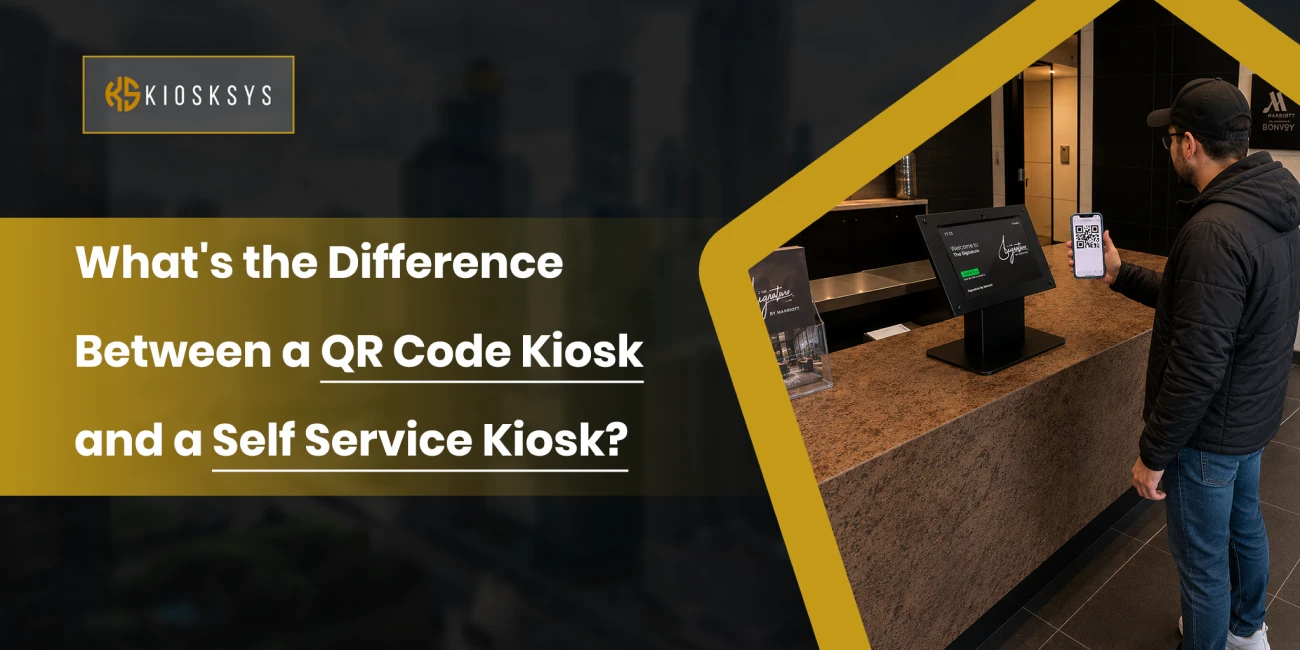
Self-service kiosk software is the system that runs a kiosk. It controls everything your customer sees and does on the screen. It turns a simple touch screen into a working system for ordering, check-ins, payments, and service requests.
If you are planning to use kiosks in your business, this software is what runs everything in the background. It manages menus, services, customer input, and payments. Then it sends that information to your internal systems like POS, booking tools, or staff dashboards.
In simple terms, the kiosk is only the device. The software is what makes it useful. It controls how fast the system runs. It also controls how easy it is for customers to use it. It makes sure information moves smoothly from the customer to your system without needing staff at every step.
How Self Service Kiosk Software Works
When a customer walks up to a kiosk, they interact with a simple touch screen. They select what they need. It could be an order, a service, or a check-in.
Behind the screen, the kiosk software runs the full process. It captures the customer input and turns it into structured data. This data is then processed through the system workflow.
The software is usually connected to your backend system. It can link with your POS, booking system, or database. Once the customer confirms their selection, the data is sent in real time to the right system. In a restaurant, it goes directly to the kitchen display. In retail, it updates the billing or inventory system. In healthcare or hotels, it reaches the front desk system instantly.
Payment processing also happens through the software if it is enabled. It connects with payment gateways to handle cards, mobile wallets, or contactless payments.
For your business, this removes manual entry and delays. Everything is automated through system integration. Your staff gets updates instantly. Your operations stay synchronized without extra effort.
How Self-Service Kiosk Software Is Used Across Industries
Self service kiosk solution is not limited to one type of business. It is used wherever customers need to place orders, check in, or complete transactions without staff involvement. The software acts as the control system behind every interaction.
Here is how it works in different industries.
Restaurants and QSR
A self service kiosk for restaurants manages ordering and payment. Customers build orders on screen. They customize items and send requests to the kitchen system. Kitchen staff receive digital tickets instead of manual orders. Order accuracy improves. Service becomes faster during rush hours. Digital menus also allow instant updates for pricing and availability.
Healthcare
In healthcare, kiosk software handles patient check-in, registration, and appointment flow. Patients enter details on the screen. They confirm visits and complete forms without front desk queues. Data moves directly into hospital systems in real time. Reception workload reduces. Clinics process patients faster with fewer manual entries.
Hospitality
In hotels, kiosk software handles check-in and check-out. Guests enter booking details and verify identity. They receive room access without waiting at reception. The system updates the room status in real time. Staff handles guest support instead of routine desk work. Peak hour arrivals move faster with fewer delays.
Transportation
In transportation hubs, kiosk software manages ticketing and check-in. Passengers enter booking details. They generate tickets on screen. Systems connect with transport databases. Updates happen in real time. Counter load reduces during peak travel hours. Passenger flow becomes more organized.
Retail
Retail self-service kiosk software handles checkout and product search. Customers browse items. They check prices. They complete purchases without counter queues. Staff focus more on support and store assistance. During peak hours, it reduces bottlenecks. Transactions keep moving without delays.
Banking and Financial Services
In banking, kiosk software handles routine transactions like balance checks, transfers, and bill payments. Customers complete tasks without the teller’s help. Transactions are processed through secure banking systems. Updates happen in real time. Branch queues reduce during busy hours. Staff focus on complex services.
Airports and Travel Hubs
Airport kiosk software solution manages check-in, boarding passes, and baggage tagging. Passengers verify details on the screen. They print travel documents on self service kiosks. Systems sync with airline databases instantly. Manual counter work has reduced. Passenger processing becomes faster during peak departures.
Entertainment and Cinemas
In cinemas, kiosk software handles ticket booking and seat selection. Customers choose shows on screen. They select seats and complete payment. Seat availability updates in real time. Double bookings are avoided. Ticket queues reduce before showtime.
Education and Campuses
In education, kiosk software manages registration, attendance, and fee payments. Students complete tasks without visiting offices. Systems update academic records instantly. Manual paperwork has reduced. Administrative work becomes lighter. Campus processes move faster.
Government and Public Services
In government offices, kiosk software handles form submission and service requests. Citizens submit applications digitally. Requests go to the right department automatically. Systems track and update status. Processing time reduces. Service delivery becomes more structured.
Gyms and Fitness Centers
In gyms, kiosk software manages check-ins, memberships, and class bookings. Members scan and enter without reception help. Attendance updates in real time. Front desk workload reduces. Entry flow improves during busy hours.
Key Benefits of Self-Service Kiosk Software
Self-service kiosk software is changing how businesses handle daily operations. It reduces manual effort, speeds up service, and improves customer flow across different industries. Here’s why businesses are adopting it.
1. Improving Customer Satisfaction
Self-service kiosk software gives customers more control over transactions. They do not depend on staff availability. They do not wait in long queues. The process becomes faster and more direct. It also feels more accurate. This improves the overall experience. Customers feel less frustrated during busy hours. Over time, satisfaction increases because the process is smooth and consistent.
2. Faster Service and Shorter Wait Times
Customers can complete orders, check-ins, or payments without waiting in line. Service flow stays steady even during peak hours. Businesses can handle more customers in less time. Staff pressure also reduces. Operations feel more controlled during high traffic periods.
3. Better Accuracy in Orders
Customers enter their own selections. This reduces mistakes. There is no miscommunication with staff. Every detail goes directly into the system. Orders become more accurate. Fewer corrections are needed later. Clear menus also help reduce confusion.
4. Improving Daily Operations
Routine tasks move into the system. This includes ordering, billing, and check-ins. Staff do not repeat the same work again and again. They can focus on customer support and service quality. This improves overall efficiency in daily operations.
5. More Personalization in Service
The system can adjust based on customer behavior. It can show frequent items or preferred options. Customers see relevant choices faster. The experience feels more personal. Staff do not need to manage this manually.
6. Better Business Insights from Data
Every interaction is recorded. Businesses can see peak hours and popular items. They can also track customer behavior patterns. This removes guesswork. Decisions become more data driven. It helps with staffing, inventory, and planning.
7. Higher Order Value Potential
Kiosk systems show add ons and upgrades during ordering. Customers can see them clearly. They can select them quickly. This increases order value. Staff do not need to push sales manually.
8. Supporting Different User Needs
Kiosks support simple navigation. They can also support multiple languages. Different users can use them without help. Staff assistance is less needed for basic tasks. This improves overall accessibility.
9. Standard Service Across Branches
All locations use the same system. Updates can be applied everywhere at once. Menus and pricing stay consistent. Workflows also remain the same. Customers get a similar experience across branches.
10. Stronger Competitive Position
Businesses using kiosks appear more modern. Service becomes faster and more consistent. Customer expectations are met more easily. This improves market position. It also helps build long term trust.
What are the Challenges and Considerations of Self Service Kiosks?
Self service kiosks bring clear benefits. But there are also a few important things to consider. Handling them properly ensures better performance and long term value.
Handling Performance and Stability
Like any system, kiosks need stable performance to work properly. They must run smoothly during busy hours. Reliable hardware and strong software design are important. Regular monitoring helps detect issues early. Fast support is also needed when problems occur. This keeps downtime low and customer experience stable.
Keeping Both Digital and Personal Service
Not every customer prefers self service. Some still want direct help from staff. That is why kiosks should support, not replace, human interaction. They handle routine tasks like ordering and check-in. Staff can then focus on more personal support. This balance improves overall service quality.
Designing for All Customers
Different users adapt to technology at different speeds. Some may use kiosks easily. Others may need more time. The interface should be simple and clear. Steps should be easy to follow. This helps users complete tasks without confusion. It also increases adoption over time.
Ensuring Good Return on Investment
Self service kiosks require an initial investment. But they reduce operational costs over time. They improve efficiency and reduce manual workload. Many businesses recover costs through time savings and higher output. Planning a proper rollout helps improve results. The focus should be on long term value, not just setup cost.
Final Consideration
Self service kiosks are more than just a system upgrade. They change how customer interactions and daily operations work. When designed and implemented properly, they improve speed, reduce pressure on staff, and create a smoother customer flow across different touchpoints.
At KioskSys, we have worked with businesses across different industries to improve their customer service using self service technology. Our focus is not only on software development but also on making sure the system works reliably in real business environments. From setup to ongoing support, the goal is to keep operations stable and easy to manage.
If you are planning to improve customer experience or reduce operational load, this is the right time to explore self service options. You can connect with us to discuss your requirements for custom self service kiosk solutions for your business.