What Is Kiosk Survey Software?
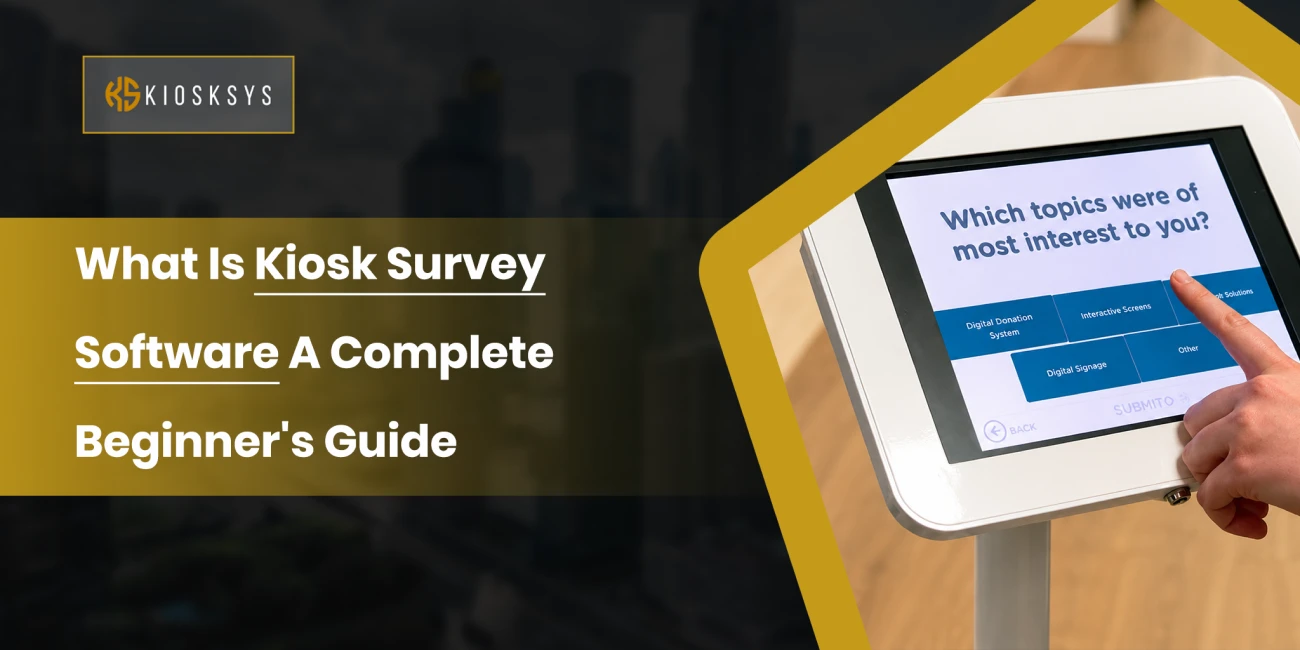
Kiosk feedback software is a digital feedback tool that lets businesses collect customer opinions through self service kiosks or tablets. It mainly involves touchscreens or interactive displays placed at physical locations.
It’s way better than those boring paper forms that were handed to everyone, hoping they would answer with an email later. Companies would think that the survey would show up right after their visit, but it never did.
But with kiosk technology, it’s quick, and it’s designed to actually get people to participate rather than ignore it.
Most touchpoint survey kiosks take under a minute to complete. Customers tap a few answers and rate their experience quickly. It can also allow them to leave a short comment, if they want to, then they’re on their way. Everything gets stored automatically, so businesses get instant access to feedback.
How Does It Work?
The mechanics are genuinely simple on both ends.
A business sets up survey kiosk software on a touchscreen unit or similar device and customises the questions around whatever it actually wants to learn.
When a customer finishes shopping or receiving a service, they’re prompted to answer a few quick questions before heading out.
Now, the kiosk could include ratings, stars, or even multiple choices. Basically whatever format suits the situation.
The moment they hit submit, the data flows into a central dashboard where managers can see it live. Most platforms also turn responses into charts and summaries automatically, so nobody’s manually sorting through hundreds of individual surveys trying to spot a trend.
Why Do Businesses Use Kiosk Survey Software?
Every business wants happier customers, but you can’t actually improve anything without honest input. In store feedback kiosk technology makes getting that input significantly easier.
Collect Real Time Feedback
People remember an experience best while it’s still happening or has just ended. Because the survey appears immediately, responses tend to be more accurate and more detailed than anything collected days later.
That immediacy means businesses catch problems while they’re still unfolding rather than discovering them weeks after the fact.
Increase Response Rates
Traditional surveys often suffer because they show up hours or days after the actual visit, by which point most people just won’t bother.
A point of service survey kiosk removes that delay entirely. The survey is already right there, and answering takes seconds. That convenience naturally pushes response rates up.
Improve Customer Experience
Feedback shows you what customers genuinely think rather than what you’ve assumed they think.
Managers can spot recurring complaints quickly, identify what actually needs fixing, and recognise staff who consistently deliver a great experience. Small changes driven by real feedback tend to produce noticeably better satisfaction over time.
Monitor Employee and Service Performance
A lot of businesses use customer satisfaction kiosks specifically to compare the quality of their services across teams or locations.
If one branch is consistently rated lower than the others, that’s a clear signal worth investigating. They are able to clarify whether it needs extra training or something else entirely. It helps keep the experience consistent across the whole organisation.
Support Business Growth
Satisfied customers come back and tell other people about your company. They also leave good reviews, which encourages others to come your way. Continuously gathering and acting on feedback through an interactive feedback kiosk builds stronger relationships with customers while also informing smarter decisions over time.
What Are the Key Features of Kiosk Survey Software?
Not every platform offers the same depth, but the strongest options tend to include a similar set of features. This is because, in the end, they’re all designed to collect feedback.
Customizable Surveys
Every business has different priorities. A retail store might care about checkout speed. But then, a hospital cares the most about patient care. Customisable surveys let businesses ask exactly what matters to them.
Touch Friendly Interface
Most people spend only a few seconds on a kiosk survey. A clean screen layout with large buttons and clear instructions keeps the experience effortless for people of any age or comfort level with technology.
Real Time Analytics
Rather than waiting for a monthly summary, a business owner can watch feedback come in live. Real time dashboards show ratings and comments as they happen. This makes it much easier to respond quickly when something’s clearly going wrong.
Multi Location Management
Businesses running several branches often need to compare experiences across locations. A unified dashboard that still separates data by branch or department saves a lot of extra work. It even makes things easier to compare.
Offline Data Collection
Internet connections aren’t always reliable, especially in certain locations. Good interactive survey software for kiosks keeps collecting responses even when the connection drops temporarily. When the connection is available again, it syncs everything automatically.
Multi Language Support
Plenty of businesses serve a genuinely diverse customer base. Offering surveys in multiple languages helps more people participate. It even improves the accuracy of what gets collected.
Alerts and Notifications
Some feedback needs immediate attention. Many platforms automatically flag managers when a customer leaves a very low rating or a negative comment. This helps them take action right away.
What Are the Common Types of Kiosk Surveys?
Different businesses measure satisfaction in different ways, and a few formats have become standard.
Customer Satisfaction (CSAT)
CSAT surveys ask how satisfied someone was with their overall experience, usually through a simple rating scale. It’s the most common format for tracking general satisfaction over time.
Net Promoter Score (NPS)
NPS measures loyalty with one direct question. How likely are you to recommend us to a friend or colleague? The answer gives a pretty reliable signal about how people feel about the brand overall.
Customer Effort Score (CES)
CES focuses on how easy a particular task was, whether that’s making a purchase, getting help, or checking in somewhere. Lower effort usually correlates strongly with higher satisfaction.
Emoji and Smiley Surveys
These swap numbers for happy, neutral, and unhappy faces. They’re extremely fast to complete and work especially well in busy environments where people only have a couple of seconds to spare.
Star Rating Surveys
Star ratings feel familiar to almost everyone because of how common they are in online reviews. Customers can rate an experience instantly without reading anything lengthy, which makes this format quick and reliably effective.
What Industries Benefit from Kiosk Survey Software?
Self service feedback kiosks work well across a wide range of industries because customer opinion is valuable just about everywhere.
Retail
Retailers use these tools to understand in store experiences and staff service quality. The feedback feeds directly into improving both customer service and store processes.
Healthcare
Hospitals and medical centres collect patient feedback right after appointments. Patients can rate things like wait times and overall care while it’s all still fresh in their mind.
Restaurants and Cafés
Restaurants use customer feedback kiosks to find out what people think about food quality and the overall dining experience. This allows them to catch recurring issues before they start affecting a customer’s loyalty.
Hotels
Hotels often place survey kiosks near reception or checkout. Guests can share thoughts on room cleanliness and their overall stay before they walk out the door.
Banking and Financial Services
Banks use in branch survey kiosks to evaluate customer service and staff interactions. This helps improve the branch experience and flag areas that need attention.
Government Offices
Public service offices use kiosk surveys to gauge citizen satisfaction after appointments, using that feedback to improve service quality and become more responsive to what people actually need.
Airports and Transportation
Airports and transport hubs often install survey kiosks near exits or waiting areas so travellers can quickly share thoughts on facilities and service.
Education
Institutes and training centres use survey kiosks to understand the experiences of students and parents, supporting ongoing improvements to campus services and admin processes.
Kiosk Survey Software vs. Traditional Surveys
Traditional surveys absolutely have their place, but they tend to run into one consistent problem. Timing.
Email surveys get ignored. Paper forms require manual processing. Phone surveys interrupt people mid-day.
A self service survey kiosk solves a lot of this by capturing feedback the moment the interaction ends, which is faster and considerably more convenient for everyone involved.
Because responses are digital from the start, businesses also get instant access to reports and trends without anyone needing to manually enter data afterward.
What Are the Best Practices for Successful Kiosk Surveys?
Installing the software is really just the first step. Getting genuinely useful feedback takes a bit more thought.
Keep Surveys Short
Most people will answer a few questions. Almost nobody wants to spend several minutes on it. Keeping things to three or five questions tends to produce much higher completion rates.
Use Clear Language
Questions should be easy to understand at a glance. Avoid technical jargon or long winded phrasing that slows people down. Simple language gets faster, more accurate answers.
Place Kiosks Strategically
Where you put the kiosk matters a lot. Near exits, checkout counters, reception desks, waiting areas, anywhere customers naturally finish their visit. If people have to go looking for the survey kiosk, participation drops fast.
Optimize for Mobile and Tablet Screens
A lot of businesses use tablets rather than dedicated kiosk hardware. Whatever the device, the survey needs to display properly with buttons that are easy to tap and text that’s actually readable.
Review Feedback Regularly
Collecting feedback only matters if someone’s actually using it. Managers should be reviewing results regularly, spotting recurring issues, and acting on what customers are saying rather than letting reports pile up unread.
What Are the Common Challenges with Kiosk Based Survey Software and How to Overcome Them?
Like any tool, there are a few recurring challenges, though most are manageable with the right approach.
Low Participation
Some people just walk straight past the kiosk. Improving visibility, keeping the survey short, and prompting customers right after service tends to lift participation meaningfully.
Poor Survey Design
Long surveys with confusing questions discourage people from finishing. Keep things focused and test the survey before you launch it. This usually produces much better completion rates.
Data Overload
Thousands of responses are only useful if you can actually make sense of them. Dashboards and trend analysis help focus on what actually matters by displaying things intuitively.
Technical Issues
Device failures or internet outages can interrupt data collection. Regular maintenance and offline data collection help keep the surveys running even when something technical goes wrong.
Conclusion
Survey software built into kiosks has genuinely changed how businesses collect customer feedback. Organisations can gather honest opinions while the experience is still fresh in someone’s mind.
With thoughtful survey design and regular review of the results, this kind of feedback kiosk technology becomes a constant method for businesses to improve. It turns into an ongoing source of insight that helps businesses make much better decisions and build genuinely better relationships with the people they serve.