Why Does Workforce Location Decide Everything?
Most HR tools quietly assume everyone sits at a desk with a laptop and a company email address. That assumption breaks down fast once you look at the numbers.
Roughly 80 percent of the global workforce is deskless, meaning no desk, no laptop, and often no device access mid shift. The gap shows up in HR’s daily workload too, plenty of teams report spending 5 to 20 plus hours a week answering the same repetitive questions, password resets, leave balances, benefits queries, that employees could resolve themselves if the access point actually fit how they work.
An employee self service kiosk and a mobile app are the two realistic ways to close that gap, but they solve it from opposite directions, and picking the one that doesn’t match your workforce just moves the backlog somewhere else instead of clearing it.
What An Employee Kiosk Actually Costs And How Long It Takes
A kiosk’s expenses live mostly in the hardware. A basic tablet based unit, an Android or iOS tablet, a stand, and a fingerprint or badge scanner typically run $1,500 to $3,500 per device. Kiosk management software adds another $20 to $200 per month per unit, depending on the vendor and feature depth.
Vendors like CloudApper, hrPad, and Connecteam keep this lower by running on standard tablets rather than custom built hardware, which avoids the steeper $5,000 plus units you’d see in retail self checkout. For a single site, expect 1 to 3 weeks from ordering hardware to having it mounted, configured, and tested. Spread that across ten or more locations, and the timeline stretches to 4 to 8 weeks, mostly due to shipping, physical installation, and staggered testing rather than the software itself.
If off the shelf options don’t quite fit how your business actually runs, a custom employee self service software, like what we build at KioskSys, costs more upfront but is built around your specific workflows and pain points rather than asking you to adapt to a vendor’s standard setup.
What A Mobile App Actually Costs And How Long It Takes
A mobile app skips hardware costs almost entirely since employees use phones they already carry. Pricing usually runs $2 to $8 per employee per month, depending on how deep the HR integration goes, paid to platforms like MangoApps or Darwinbox rather than spent on physical units. Setup time is mostly configuration work, connecting to your existing HRIS, building approval workflows, and setting up single sign on, which a single location can usually complete in 1 to 2 weeks.
Multi location rollouts take longer in practice, not because installation is hard, but because real adoption depends on employees actually downloading and opening the app. Vendors that take this seriously plan for it explicitly. MangoApps backs its enterprise rollouts with a published Adoption Guarantee, aiming for 90 percent active use within 90 days, against an industry average closer to 30 to 40 percent, which gives you a sense of how much of mobile’s success depends on the rollout plan rather than the app itself.
Side By Side Comparision Table On Cost And Setup
Employee Kiosk | Mobile app | |
Hardware cost | $1,500–$3,500 per unit | None |
Software cost | $20–$200 per device/month | $2–$8 per employee/month |
Single site setup | 1–3 weeks | 1–2 weeks |
Multi site setup | 4–8 weeks | Adoption dependent, often 8–12 weeks for full reach |
Main cost driver | Hardware and physical install | Per employee licensing and onboarding push |
Where An Employee Self Service Kiosk Genuinely Shines
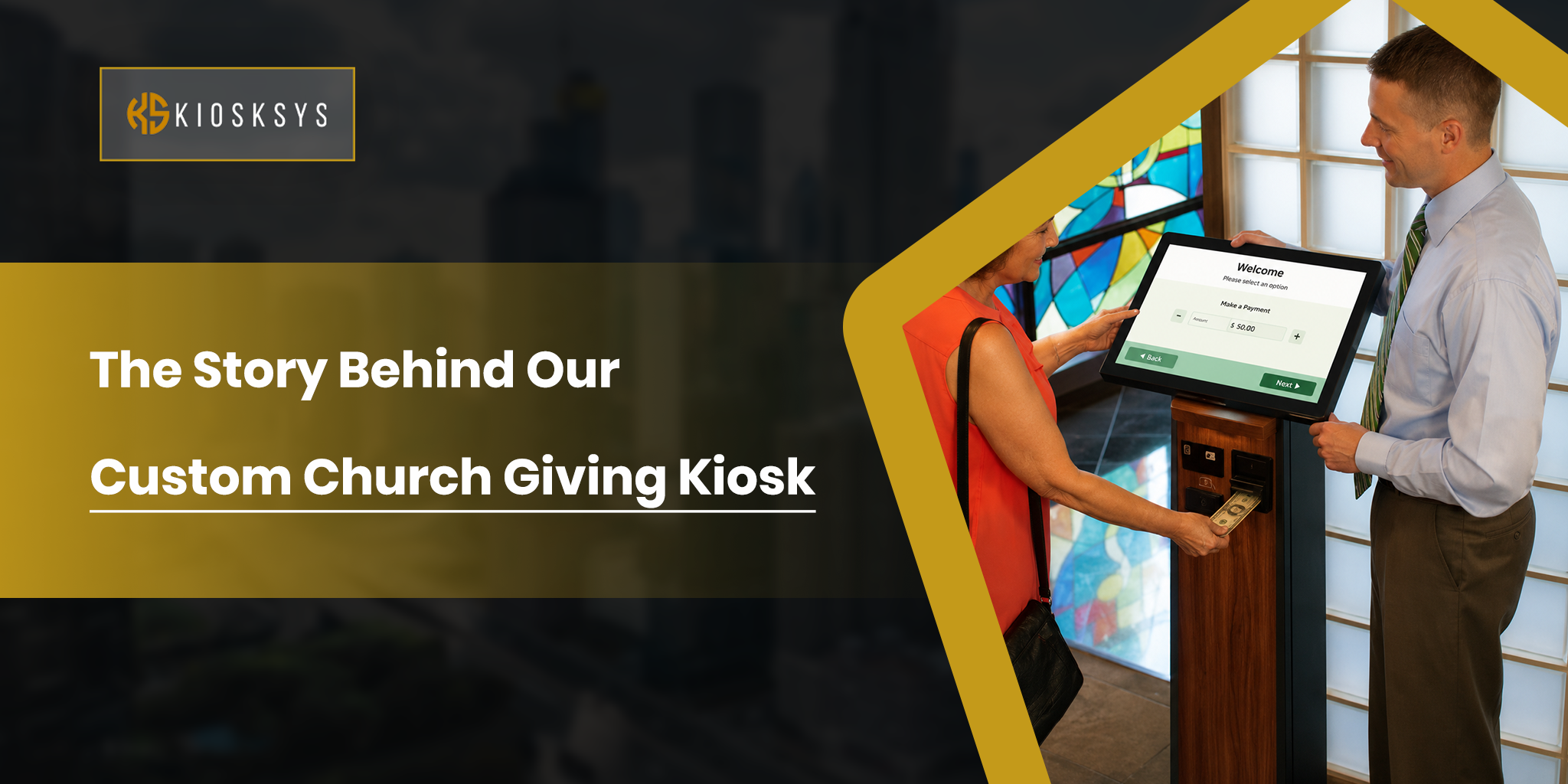
A kiosk’s real advantage is that it asks nothing extra of the employee beyond walking up to it, no app download, no personal data plan, no device of their own involved. That matters a lot in environments where people wear gloves, work with wet hands, share lockers, or simply don’t want HR tasks living on a personal phone.
It also makes time tracking feel fairer, since everyone clocks in at the same fixed, visible point rather than self reporting from a screen nobody else can see. The natural limit is coverage; a kiosk only helps wherever it’s physically bolted down, so a business spread across several buildings or job sites usually needs more than one unit to get full value.
Where A Mobile App Genuinely Shines
A mobile app flips that limitation around entirely; it travels with the person instead of staying fixed in place. That’s the whole appeal for drivers, field technicians, sales reps, or anyone whose job moves them between locations during the day. It also keeps working outside of shift hours, letting someone check a pay stub or request time off from the couch instead of waiting for their next shift near a kiosk.
The tradeoff is that mobile’s success rides entirely on adoption, and adoption drops fast if a meaningful chunk of the workforce shares devices, works without a smartphone on the floor, or just doesn’t want another work app taking up storage on a personal phone.
How Two Companies Chose Differently
A.S. Watson Benelux, the retailer behind the Kruidvat and Superdrug chains, rolled out a branded mobile app across more than 16,000 store employees, most of whom had no corporate email address and a workforce averaging around 25 years old.
Adoption reached over 80 percent without any formal training materials, employees simply created accounts and started using it before onboarding sessions even happened, largely because the experience felt closer to apps they already used personally than to typical enterprise software. Every one of those 16,000 plus employees now checks their schedule through the app rather than calling a store manager.
Compare that with a different shape of business entirely, a retail kiosk deployment across 60 store locations using CloudApper hrPad. Within the first month, HR service requests dropped by 45 percent, since staff had one fixed, always available screen near the floor to clock in, check pay, and submit routine requests without pulling a manager away from customers.
Neither outcome proves one approach is better in general. A.S. Watson’s workforce skewed young, mobile, native, and comfortable installing a consumer style app, while the kiosk deployment served a workforce that needed a dependable shared touchpoint right where they already stood during a shift. The fit decided the result far more than the technology did.
When Does A Business Actually Need Both?
A lot of organizations don’t split cleanly into one category or the other. Retail and healthcare in particular tend to run a mix of shift based floor staff who rarely leave the building and managers, specialists, or field staff who move between sites constantly.
In those cases, a kiosk near the break room or time clock handles the routine, on site tasks well, while a companion mobile app covers anyone whose work takes them away from that physical spot. Trying to force a single tool to cover both jobs tends to backfire; either a kiosk interface gets awkwardly squeezed onto a small phone screen, or a mobile app sits uninstalled on the shop floor because nobody there has a reason to open it.
Making The Right Call
If most of your people clock in at one fixed site, share devices, or work somewhere a personal phone isn’t practical to use mid task, an employee self service kiosk solves the actual problem in front of you and tends to cost less per employee once you’re operating at scale. If your team moves between locations regularly or needs HR access outside of work hours, a mobile app reaches them in the place they already are, their own phone. Plenty of growing businesses land somewhere in between and run both rather than forcing the decision into a strict either or. And if neither off the shelf option lines up with the specific issues your business is facing, that’s exactly the gap a custom employee self service kiosk from KioskSys is built to close.
Wrapping Up
There isn’t a universally correct answer between an employee self service kiosk and a mobile app, only a better fit for the physical reality your team works in day to day. Look honestly at where your employees actually are during a shift, whether they share devices, and how often they need HR access away from the workplace, and the right choice tends to become obvious without much more analysis than that.
Frequently Asked Questions
Can a business reasonably use both at once?
Yes, and quite a few already do. A kiosk handles shared, fixed location needs while a mobile app covers employees who move between sites or need access outside work hours.
Which option tends to fit healthcare or manufacturing teams better?
Kiosks usually win out here, since employees often share devices, wear gloves, or work in conditions where pulling out a personal phone mid shift just isn’t realistic.
Is a mobile app cheaper to set up than an employee kiosk?
Per unit, yes, since there’s no hardware to buy. But the per employee monthly licensing and the cost of driving real adoption can close that gap once you scale past a handful of locations.
Is one option meaningfully more secure than the other?
Both can be made secure with the right setup. Kiosks benefit from being in fixed, monitored locations, while mobile apps need stronger device level security since they’re running on personal phones.
How long should I realistically expect a full rollout to take?
A single site kiosk or app can usually go live within 1 to 3 weeks. Multi site rollouts typically run 4 to 12 weeks, depending on whether the bottleneck is hardware logistics or employee adoption.